✓ 3 selected
A gallery that makes sense.
Browse detected photos together in a dedicated side panel and select the ones you need.
Explore, preview and select place photos from Google Maps in a thoughtfully designed Chrome side panel.
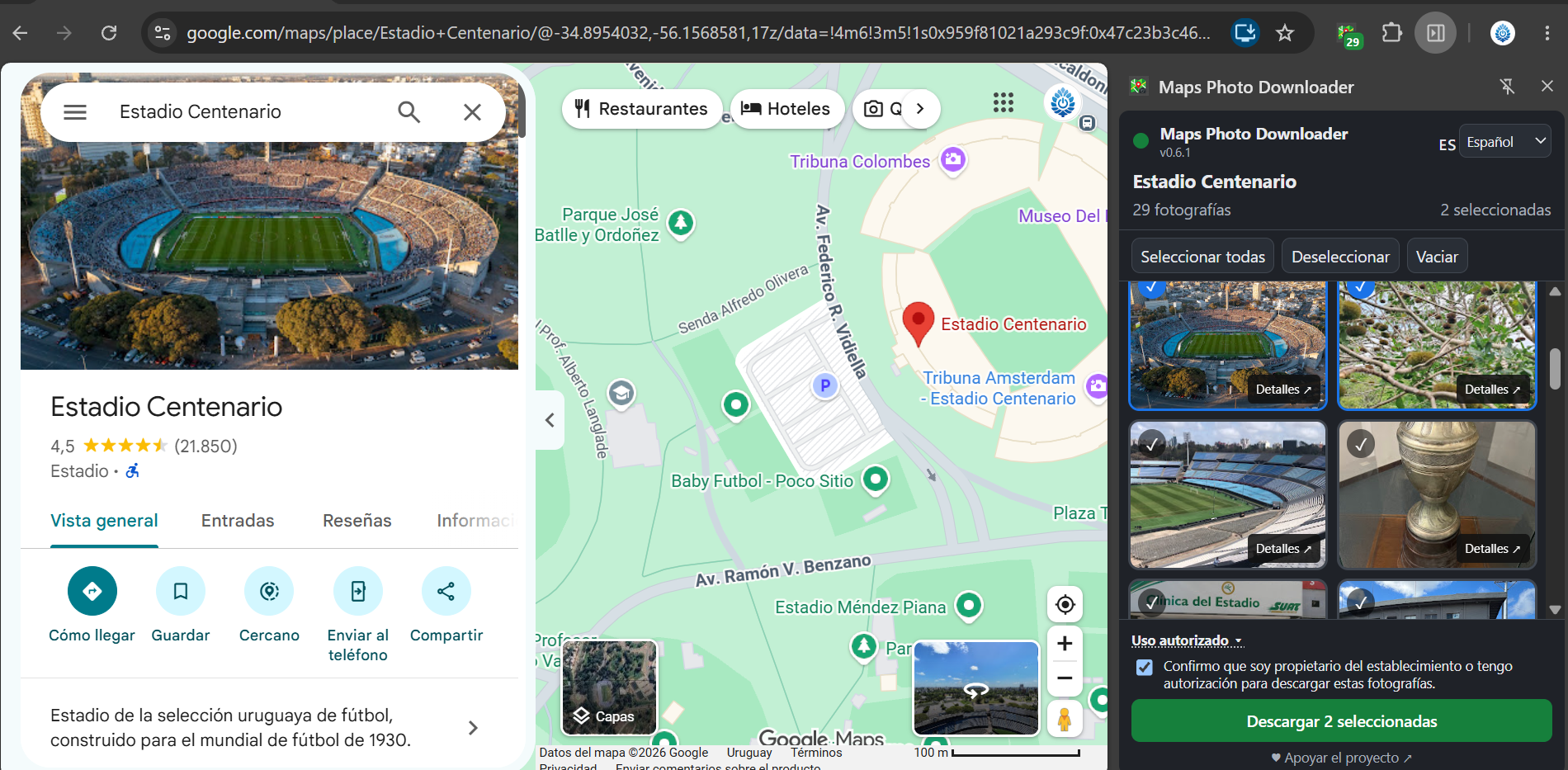
A more organized way to work with photos, without switching between endless windows.
Browse detected photos together in a dedicated side panel and select the ones you need.
Preview images and view available dimension information before downloading.
Request higher-resolution image versions when the source makes them available.
Available in English, Español, Português, Français and Deutsch.
Free to use, MIT licensed and developed openly on GitHub.
A straightforward workflow that keeps your focus on the images.
Visit a place or business on Google Maps and open its photos.
Launch Maps Photo Downloader to browse detected photos in one place.
Preview and select photos, then download images you are authorized to use.
Maps Photo Downloader is an independent, free and open-source project. Explore the code, report issues or contribute on GitHub.
Yes. The extension is free and open source under the MIT License. Donations are optional.
No. The extension can request higher-resolution versions when available, but original quality and availability are not guaranteed.
English, Spanish, Portuguese, French and German.
No. Only download images you own or have permission to use. Copyright, privacy rights and Google Maps platform terms may restrict downloading, especially bulk extraction. Permission from a photo owner alone does not necessarily authorize extraction through Google Maps.
No. Maps Photo Downloader is an independent project and is not affiliated with or endorsed by Google.